Showing posts with label airflow. Show all posts

Saturday, 23 October 2021

airflow: Get help of airflow commands

‘airflow -h’ command prints help about all the airflow commands.

$airflow -h
usage: airflow [-h]
               {backfill,list_dag_runs,list_tasks,clear,pause,unpause,trigger_dag,delete_dag,show_dag,pool,variables,kerberos,render,run,initdb,list_dags,dag_state,task_failed_deps,task_state,serve_logs,test,webserver,resetdb,upgradedb,checkdb,shell,scheduler,worker,flower,version,connections,create_user,delete_user,list_users,sync_perm,next_execution,rotate_fernet_key,config,info}
               ...

positional arguments:
  {backfill,list_dag_runs,list_tasks,clear,pause,unpause,trigger_dag,delete_dag,show_dag,pool,variables,kerberos,render,run,initdb,list_dags,dag_state,task_failed_deps,task_state,serve_logs,test,webserver,resetdb,upgradedb,checkdb,shell,scheduler,worker,flower,version,connections,create_user,delete_user,list_users,sync_perm,next_execution,rotate_fernet_key,config,info}
                        sub-command help
    backfill            Run subsections of a DAG for a specified date range. If reset_dag_run option is used, backfill will first prompt users whether airflow should
                        clear all the previous dag_run and task_instances within the backfill date range. If rerun_failed_tasks is used, backfill will auto re-run
                        the previous failed task instances within the backfill date range.
    list_dag_runs       List dag runs given a DAG id. If state option is given, it will onlysearch for all the dagruns with the given state. If no_backfill option is
                        given, it will filter outall backfill dagruns for given dag id.
    list_tasks          List the tasks within a DAG
    clear               Clear a set of task instance, as if they never ran
    pause               Pause a DAG
    unpause             Resume a paused DAG
    trigger_dag         Trigger a DAG run
    delete_dag          Delete all DB records related to the specified DAG
    show_dag            Displays DAG's tasks with their dependencies
    pool                CRUD operations on pools
    variables           CRUD operations on variables
    kerberos            Start a kerberos ticket renewer
    render              Render a task instance's template(s)
    run                 Run a single task instance
    initdb              Initialize the metadata database
    list_dags           List all the DAGs
    dag_state           Get the status of a dag run
    task_failed_deps    Returns the unmet dependencies for a task instance from the perspective of the scheduler. In other words, why a task instance doesn't get
                        scheduled and then queued by the scheduler, and then run by an executor).
    task_state          Get the status of a task instance
    serve_logs          Serve logs generate by worker
    test                Test a task instance. This will run a task without checking for dependencies or recording its state in the database.
    webserver           Start a Airflow webserver instance
    resetdb             Burn down and rebuild the metadata database
    upgradedb           Upgrade the metadata database to latest version
    checkdb             Check if the database can be reached.
    shell               Runs a shell to access the database
    scheduler           Start a scheduler instance
    worker              Start a Celery worker node
    flower              Start a Celery Flower
    version             Show the version
    connections         List/Add/Delete connections
    create_user         Create an account for the Web UI (FAB-based)
    delete_user         Delete an account for the Web UI
    list_users          List accounts for the Web UI
    sync_perm           Update permissions for existing roles and DAGs.
    next_execution      Get the next execution datetime of a DAG.
    rotate_fernet_key   Rotate all encrypted connection credentials and variables; see https://airflow.readthedocs.io/en/stable/howto/secure-
                        connections.html#rotating-encryption-keys.
    config              Show current application configuration
    info                Show information about current Airflow and environment

optional arguments:
  -h, --help            show this help message and exit


Previous                                                    Next                                                    Home

Thursday, 21 October 2021

Introduction to Airflow cli

Following are the most used airflow commands.


airflow initdb

Initialize metedatabase of Airflow. Airflow requires a database to be initialized before you can run tasks. If you’re just experimenting and learning Airflow, you can stick with the default SQLite option which comes by default.


airflow resetdb

Remove all the existing data in database, so you can start with fresh new database.


airflow scheduler

Start scheduler to execute dags


airflow webserver

Start webserver and you can access UI to interact with airflow.


airflow list_dags

List all the dags available in dags folder.

$ airflow list_dags
[2020-10-04 09:42:19,268] {__init__.py:50} INFO - Using executor SequentialExecutor
[2020-10-04 09:42:19,268] {dagbag.py:417} INFO - Filling up the DagBag from /Users/krishna/airflow/dags


-------------------------------------------------------------------
DAGS
-------------------------------------------------------------------
tutorial


airflow list_tasks {dag_name}

List all the tasks in a dag.

$ airflow list_tasks tutorial
[2020-10-04 09:43:30,877] {__init__.py:50} INFO - Using executor SequentialExecutor
[2020-10-04 09:43:30,877] {dagbag.py:417} INFO - Filling up the DagBag from /Users/krishna/airflow/dags
print_date
sleep
templated


airflow list_tasks {dag_name} --tree

Print dependenies of tasks in a dag.


$ airflow list_tasks tutorial --tree
[2020-10-04 09:44:56,149] {__init__.py:50} INFO - Using executor SequentialExecutor
[2020-10-04 09:44:56,149] {dagbag.py:417} INFO - Filling up the DagBag from /Users/krishna/airflow/dags
<Task(BashOperator): print_date>
    <Task(BashOperator): templated>
    <Task(BashOperator): sleep>


‘print_date’ task runs before templated and sleep tasks.


airflow test {dag_name} {task_name} {previous_date}

Test given task.

$airflow test tutorial print_date 2019-05-05
[2020-10-04 09:48:01,280] {__init__.py:50} INFO - Using executor SequentialExecutor
[2020-10-04 09:48:01,281] {dagbag.py:417} INFO - Filling up the DagBag from /Users/krishna/airflow/dags
[2020-10-04 09:48:01,290] {taskinstance.py:670} INFO - Dependencies all met for <TaskInstance: tutorial.print_date 2019-05-05T00:00:00+00:00 [None]>
[2020-10-04 09:48:01,295] {taskinstance.py:670} INFO - Dependencies all met for <TaskInstance: tutorial.print_date 2019-05-05T00:00:00+00:00 [None]>
[2020-10-04 09:48:01,295] {taskinstance.py:880} INFO - 
--------------------------------------------------------------------------------
[2020-10-04 09:48:01,295] {taskinstance.py:881} INFO - Starting attempt 1 of 2
[2020-10-04 09:48:01,295] {taskinstance.py:882} INFO - 
--------------------------------------------------------------------------------
[2020-10-04 09:48:01,295] {taskinstance.py:901} INFO - Executing <Task(BashOperator): print_date> on 2019-05-05T00:00:00+00:00
[2020-10-04 09:48:01,309] {bash_operator.py:113} INFO - Tmp dir root location: 
 /var/folders/tp/qybw2qy54t39ffn2l0grsdrc0000gp/T
[2020-10-04 09:48:01,310] {bash_operator.py:134} INFO - Temporary script location: /var/folders/tp/qybw2qy54t39ffn2l0grsdrc0000gp/T/airflowtmpg42m9rr7/print_datepbc72m1d
[2020-10-04 09:48:01,310] {bash_operator.py:146} INFO - Running command: date
[2020-10-04 09:48:01,315] {bash_operator.py:153} INFO - Output:
[2020-10-04 09:48:01,322] {bash_operator.py:157} INFO - Sun Oct  4 09:48:01 IST 2020
[2020-10-04 09:48:01,322] {bash_operator.py:159} INFO - Command exited with return code 0
[2020-10-04 09:48:01,327] {taskinstance.py:1057} INFO - Marking task as SUCCESS.dag_id=tutorial, task_id=print_date, execution_date=20190505T000000, start_date=20201004T041801, end_date=20201004T041801


Previous                                                    Next                                                    Home

airflow: Interacting with sqlite database

Airflow requires a database to be initialized before you can run tasks. If you’re just experimenting and learning Airflow, you can stick with the default SQLite option which comes by default.


In our previous examples, we are not configured any external database, so airflow starts with sqlite.


When you see the contents of ‘airflow’ folder, you can observe ‘airflow.db’ file gets created. Using sqlite, you can query this db file.  

$ls
airflow.cfg airflow.db  dags        logs        unittests.cfg

Query the contents of airflow.db file

Open terminal and execute below command to connect to airflow databse.

sqlite3 airflow.db

$sqlite3 airflow.db 
SQLite version 3.28.0 2019-04-15 14:49:49
Enter ".help" for usage hints.
sqlite> 


List all tables

Execute .tables command.

sqlite> .tables
alembic_version                kube_worker_uuid             
chart                          log                          
connection                     rendered_task_instance_fields
dag                            serialized_dag               
dag_code                       sla_miss                     
dag_pickle                     slot_pool                    
dag_run                        task_fail                    
dag_tag                        task_instance                
import_error                   task_reschedule              
job                            users                        
known_event                    variable                     
known_event_type               xcom                         
kube_resource_version       


Previous                                                    Next                                                    Home

Tuesday, 19 October 2021

Airflow: Add Bash Operator to the dag

This is continuation to my previous post. In this post, I am going to add bash operator the dag. Bash operator is used to execute bash commands in a bash shell.


For example, Lets add a task that print the contents of csv file.

BashOperator(task_id="print_emps_info", bash_command="cat /tmp/empsData.csv")


Update first_dag.py file with below content.


first_dag.py


# To crate DAG, we need to import the class DAG from the moduel airflow
from airflow import DAG
from airflow.contrib.sensors.file_sensor import FileSensor
from airflow.operators.python_operator import PythonOperator
from airflow.operators.bash_operator import BashOperator

from datetime import datetime

import fetching_emps_info


# DAG needs start date and schedule interval to run. owner property is used to filter the dags
default_args = {
    "start_date": datetime(2020, 2, 2),
    "owner": "airflow"
}

# Get an instance of DAG
# @daily: It is a predefined cron identifier in airflow, trigger this dag everyday once
with DAG(dag_id="first_dag", schedule_interval="@daily", default_args=default_args ) as dag:
    waiting_for_emps_Info = FileSensor(task_id="Waiting_for_employees_info",fs_conn_id="emps_info", filepath="empsInfo.csv",
        poke_interval=10)

    emp_details = PythonOperator(task_id="fetch_employees_info", python_callable=fetching_emps_info.main)

    BashOperator(task_id="print_emps_info", bash_command="cat /tmp/empsData.csv")


Test 'print_emps_info' task by executing below command.

$ airflow test first_dag print_emps_info 2020-02-02
[2020-10-06 11:41:49,363] {__init__.py:50} INFO - Using executor SequentialExecutor
[2020-10-06 11:41:49,363] {dagbag.py:417} INFO - Filling up the DagBag from /Users/krishna/airflow/dags
[2020-10-06 11:41:49,565] {taskinstance.py:670} INFO - Dependencies all met for <TaskInstance: first_dag.print_emps_info 2020-02-02T00:00:00+00:00 [None]>
[2020-10-06 11:41:49,570] {taskinstance.py:670} INFO - Dependencies all met for <TaskInstance: first_dag.print_emps_info 2020-02-02T00:00:00+00:00 [None]>
[2020-10-06 11:41:49,570] {taskinstance.py:880} INFO - 
--------------------------------------------------------------------------------
[2020-10-06 11:41:49,570] {taskinstance.py:881} INFO - Starting attempt 1 of 1
[2020-10-06 11:41:49,570] {taskinstance.py:882} INFO - 
--------------------------------------------------------------------------------
[2020-10-06 11:41:49,571] {taskinstance.py:901} INFO - Executing <Task(BashOperator): print_emps_info> on 2020-02-02T00:00:00+00:00
[2020-10-06 11:41:49,583] {bash_operator.py:113} INFO - Tmp dir root location: 
 /var/folders/tp/qybw2qy54t39ffn2l0grsdrc0000gp/T
[2020-10-06 11:41:49,584] {bash_operator.py:134} INFO - Temporary script location: /var/folders/tp/qybw2qy54t39ffn2l0grsdrc0000gp/T/airflowtmpdg2babg4/print_emps_infoka1g_hj8
[2020-10-06 11:41:49,584] {bash_operator.py:146} INFO - Running command: cat /tmp/empsData.csv
[2020-10-06 11:41:49,590] {bash_operator.py:153} INFO - Output:
[2020-10-06 11:41:49,597] {bash_operator.py:157} INFO - 1,Krishna,31
[2020-10-06 11:41:49,597] {bash_operator.py:157} INFO - 2,Ram,28
[2020-10-06 11:41:49,597] {bash_operator.py:157} INFO - 3,Sailu,30
[2020-10-06 11:41:49,597] {bash_operator.py:157} INFO - 4,Bala,42
[2020-10-06 11:41:49,597] {bash_operator.py:159} INFO - Command exited with return code 0
[2020-10-06 11:41:49,604] {taskinstance.py:1057} INFO - Marking task as SUCCESS.dag_id=first_dag, task_id=print_emps_info, execution_date=20200202T000000, start_date=20201006T061149, end_date=20201006T061149


Previous                                                    Next                                                    Home

Airflow: Add python task to the dag

This is continuation to my previous post. We are going to execute a python script using python operator. This task reads the csv file from and trim the header and put the contents of csv file in /tmp directory.


Step 1: First we need to select a location to keep all our python scripts.


Example

export PYTHONPATH=/Users/Shared/airflow/data-pipelines


Step 2: Create ‘fetching_emps_info.py’ file in PYTHONPATH.

fetching_emps_info.py

import pandas as pd
from datetime import datetime as dt

TEMP_DIR = '/tmp/'
CSV_FILE_PATH = '/Users/Shared/airflow/data/empsInfo.csv'

def main():
	empsInfo = pd.read_csv(CSV_FILE_PATH, encoding='utf-8', skiprows=[0])

	empsInfo.to_csv(TEMP_DIR + 'empsData.csv', index=False)


Step 3: Update ‘first_dag.py’ like below.


first_dag.py


# To crate DAG, we need to import the class DAG from the moduel airflow
from airflow import DAG
from airflow.contrib.sensors.file_sensor import FileSensor
from airflow.operators.python_operator import PythonOperator

from datetime import datetime

import fetching_emps_info


# DAG needs start date and schedule interval to run. owner property is used to filter the dags
default_args = {
    "start_date": datetime(2020, 2, 2),
    "owner": "airflow"
}

# Get an instance of DAG
# @daily: It is a predefined cron identifier in airflow, trigger this dag everyday once
with DAG(dag_id="first_dag", schedule_interval="@daily", default_args=default_args ) as dag:
    waiting_for_emps_Info = FileSensor(task_id="Waiting_for_employees_info",fs_conn_id="emps_info", filepath="empsInfo.csv",
        poke_interval=10)

    emp_details = PythonOperator(task_id="fetch_employees_info", python_callable=fetching_emps_info.main)


Step 4: Execute the task

airflow test first_dag fetch_employees_info 2020-02-02

$ airflow test first_dag fetch_employees_info 2020-02-02
[2020-10-06 11:23:04,596] {__init__.py:50} INFO - Using executor SequentialExecutor
[2020-10-06 11:23:04,597] {dagbag.py:417} INFO - Filling up the DagBag from /Users/krishna/airflow/dags
[2020-10-06 11:23:04,793] {taskinstance.py:670} INFO - Dependencies all met for <TaskInstance: first_dag.fetch_employees_info 2020-02-02T00:00:00+00:00 [None]>
[2020-10-06 11:23:04,798] {taskinstance.py:670} INFO - Dependencies all met for <TaskInstance: first_dag.fetch_employees_info 2020-02-02T00:00:00+00:00 [None]>
[2020-10-06 11:23:04,798] {taskinstance.py:880} INFO - 
--------------------------------------------------------------------------------
[2020-10-06 11:23:04,798] {taskinstance.py:881} INFO - Starting attempt 1 of 1
[2020-10-06 11:23:04,798] {taskinstance.py:882} INFO - 
--------------------------------------------------------------------------------
[2020-10-06 11:23:04,799] {taskinstance.py:901} INFO - Executing <Task(PythonOperator): fetch_employees_info> on 2020-02-02T00:00:00+00:00
[2020-10-06 11:23:04,814] {python_operator.py:114} INFO - Done. Returned value was: None
[2020-10-06 11:23:04,816] {taskinstance.py:1057} INFO - Marking task as SUCCESS.dag_id=first_dag, task_id=fetch_employees_info, execution_date=20200202T000000, start_date=20201006T055304, end_date=20201006T055304

Step 5: Query the file empsData.csv, you can see the employees information.

$ cat /tmp/empsData.csv 
1,Krishna,31
2,Ram,28
3,Sailu,30
4,Bala,42


Previous                                                    Next                                                    Home

Sunday, 17 October 2021

Airflow: Operator


Operator defines a single task in the data-pipeline. For example, if you want to run a shell command, you can use ‘bash’ operator to execute the command.


An Operator describes single task in an airflow. In general, operators run independently. So parallel tasks can be scheduled on different worker nodes.


In case of task failure, airflow retry the task automatically.


Operator should be idempotent

Operator should produce the same result regardless of how many times it runs.


Can I create custom operator?

Yes, you can


Apache airflow support variety of operators that are sufficient for most of your needs. For example,

a.   Bash Operator: Execute single bash command

b.   Email Operator: Sends an email

c.    Sqlite, Postgres, MySQL Operator: Execute single SQL command

d.   Python Operator: Execute an arbitrary python function


Types of operators

There are three types of operators in Apache airflow.

a.   Action Operator: Execute an action. Example: Email operator and Bash operator

b.   Transfer Operator: Move data from one system to another. Example: sftp operator

c.    Sensor Operator: Wait for the data to arrive at a defined location.


Previous                                                    Next                                                    Home

Wednesday, 13 October 2021

Airflow: hello world DAG

Step 1: Create first_dag.py file and place it in dags folder.


first_dag.py

# To crate DAG, we need to import the class DAG from the moduel airflow
from airflow import DAG

# Get an instance of DAG
# @daily: It is a predefined cron identifier in airflow, trigger this dag everyday once
with DAG(dag_id="first_dag", schedule_interval="@daily" ) as dag:
    None


from airflow import DAG

To crate DAG, we need to import the class DAG from the moduel airflow


with DAG(dag_id="first_dag", schedule_interval="@daily" ) as dag:

Above statement get an instance of DAG.


@daily

It is a predefined cron identifier in airflow, trigger this dag everyday once


Step 2: Start airflow scheduler by executing below command.

airflow scheduler

$airflow scheduler
  ____________       _____________
 ____    |__( )_________  __/__  /________      __
____  /| |_  /__  ___/_  /_ __  /_  __ \_ | /| / /
___  ___ |  / _  /   _  __/ _  / / /_/ /_ |/ |/ /
 _/_/  |_/_/  /_/    /_/    /_/  \____/____/|__/
[2020-10-04 10:22:47,605] {__init__.py:50} INFO - Using executor SequentialExecutor
[2020-10-04 10:22:47,610] {scheduler_job.py:1367} INFO - Starting the scheduler
[2020-10-04 10:22:47,610] {scheduler_job.py:1375} INFO - Running execute loop for -1 seconds
[2020-10-04 10:22:47,610] {scheduler_job.py:1376} INFO - Processing each file at most -1 times
[2020-10-04 10:22:47,610] {scheduler_job.py:1379} INFO - Searching for files in /Users/krishna/airflow/dags
[2020-10-04 10:22:47,617] {scheduler_job.py:1381} INFO - There are 2 files in /Users/krishna/airflow/dags
[2020-10-04 10:22:47,617] {scheduler_job.py:1438} INFO - Resetting orphaned tasks for active dag runs
[2020-10-04 10:22:47,648] {dag_processing.py:562} INFO - Launched DagFileProcessorManager with pid: 6462
[2020-10-04 10:22:48,875] {settings.py:55} INFO - Configured default timezone <Timezone [UTC]>
[2020-10-04 10:22:48,884] {dag_processing.py:774} WARNING - Because we cannot use more than 1 thread (max_threads = 2) when using sqlite. So we set parallelism to 1.


Step 3: Start webserver by executing below command.

airflow webserver

$airflow webserver
  ____________       _____________
 ____    |__( )_________  __/__  /________      __
____  /| |_  /__  ___/_  /_ __  /_  __ \_ | /| / /
___  ___ |  / _  /   _  __/ _  / / /_/ /_ |/ |/ /
 _/_/  |_/_/  /_/    /_/    /_/  \____/____/|__/
[2020-10-04 10:23:34,785] {__init__.py:50} INFO - Using executor SequentialExecutor
[2020-10-04 10:23:34,786] {dagbag.py:417} INFO - Filling up the DagBag from /Users/krishna/airflow/dags
Running the Gunicorn Server with:
Workers: 4 sync
Host: 0.0.0.0:8080
Timeout: 120
Logfiles: - -
=================================================================            
[2020-10-04 10:23:35 +0530] [6523] [INFO] Starting gunicorn 20.0.4
[2020-10-04 10:23:35 +0530] [6523] [INFO] Listening at: http://0.0.0.0:8080 (6523)
[2020-10-04 10:23:35 +0530] [6523] [INFO] Using worker: sync
[2020-10-04 10:23:35 +0530] [6526] [INFO] Booting worker with pid: 6526
[2020-10-04 10:23:35 +0530] [6527] [INFO] Booting worker with pid: 6527
[2020-10-04 10:23:36 +0530] [6528] [INFO] Booting worker with pid: 6528
[2020-10-04 10:23:36 +0530] [6529] [INFO] Booting worker with pid: 6529

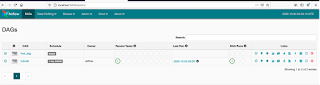
  Step 4: Open the url http://localhost:8080 in browser to see the dag first_dag.


Go to ‘Graph View’ by clicking on Graph view button.


You will be navigated to Graph View of the dag.


You can observe there is a warning message ‘No tasks found’.


Let’s define a task to the airflow first_dag in the next post.


Previous                                                    Next                                                    Home