Saturday, 14 July 2018

Java8: removeIf example

'java.util.Collection' class provides 'removeIf' method to remove all the elements of this collection that satisfy the given predicate. This method returns true, if any element is removed from the collection.
The definition of ‘removeIf’ method looks like below.
    default boolean removeIf(Predicate<? super E> filter) {
        Objects.requireNonNull(filter);
        boolean removed = false;
        final Iterator<E> each = iterator();
        while (each.hasNext()) {
            if (filter.test(each.next())) {
                each.remove();
                removed = true;
            }
        }
        return removed;
    }
        
As you see above snippet, removeIf method uses the collection iterator to traverse the elements. If the element matches to the predicate, then it is removed from the collection using iterator 'remove' method. If iterator do not support removal of elements, then UnsupportedOperationException is thrown.


Find the below working example.

Employee.java

package com.sample.app.model;

public class Employee {
 private int id;
 private String firstName;
 private String lastName;

 public Employee(int id, String firstName, String lastName) {
  this.id = id;
  this.firstName = firstName;
  this.lastName = lastName;
 }

 public int getId() {
  return id;
 }

 public void setId(int id) {
  this.id = id;
 }

 public String getFirstName() {
  return firstName;
 }

 public void setFirstName(String firstName) {
  this.firstName = firstName;
 }

 public String getLastName() {
  return lastName;
 }

 public void setLastName(String lastName) {
  this.lastName = lastName;
 }

 @Override
 public String toString() {
  return "Employee [id=" + id + ", firstName=" + firstName + ", lastName=" + lastName + "]";
 }

}

Test.java

package com.sample.app;

import java.util.ArrayList;
import java.util.Arrays;
import java.util.List;

import com.sample.app.model.Employee;

public class Test {

 private static List<Employee> emps = new ArrayList<>();

 static {
  loadEmployees();
 }

 private static void loadEmployees() {
  Employee emp1 = new Employee(1, "Krishna", "Gurram");
  Employee emp2 = new Employee(2, "Joel", "Chelli");
  Employee emp3 = new Employee(3, "Gopi", "Battu");
  Employee emp4 = new Employee(4, "Janaki", "Sriram");
  Employee emp5 = new Employee(5, "Janaki", "Maj");

  emps.addAll(Arrays.asList(emp1, emp2, emp3, emp4, emp5));
 }

 private static void printEmployees() {
  emps.stream().forEach(System.out::println);
 }

 public static void main(String args[]) {
  printEmployees();

  System.out.println("\nRemove all employees with even ids\n");

  /* Remove employees with even number ids */
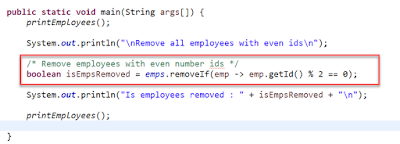
  boolean isEmpsRemoved = emps.removeIf(emp -> emp.getId() % 2 == 0);

  System.out.println("Is employees removed : " + isEmpsRemoved + "\n");

  printEmployees();

 }
}


Run Test.java, you can able to see below messages in console.

Employee [id=1, firstName=Krishna, lastName=Gurram]
Employee [id=2, firstName=Joel, lastName=Chelli]
Employee [id=3, firstName=Gopi, lastName=Battu]
Employee [id=4, firstName=Janaki, lastName=Sriram]
Employee [id=5, firstName=Janaki, lastName=Maj]

Remove all employees with even ids

Is employees removed : true

Employee [id=1, firstName=Krishna, lastName=Gurram]
Employee [id=3, firstName=Gopi, lastName=Battu]
Employee [id=5, firstName=Janaki, lastName=Maj]


Previous                                                 Next                                                 Home

Java8 Streams anyMatch example

'java.util.stream.Stream' interface provides 'anyMatch' method, it return true if any one element of the stream matches to given predicate.

boolean anyMatch(Predicate<? super T> predicate)
For example, I defined Employee class like below.

public class Employee {
         private int id;
         private String firstName;
         private String lastName;
         ....
         ....
         ....
}

private static List<Employee> emps = new ArrayList<> ();

Below snippet checks whether employee with id 5 exists or not.

if (emps.stream().anyMatch(emp -> emp.getId() == 5)) {
         System.out.println("Employee with id 5 exists");
} else {
         System.out.println("Employee with id 5 is not exist");
}

Below snippet checks whether employee with firstName ‘Ram’ exists or not.

if (emps.stream().anyMatch(emp -> emp.getFirstName().equals("Ram"))) {
         System.out.println("Employee with first name Ram exists");
} else {
         System.out.println("Employee with first name Ram is not exist");
}

Below snippet checks whether employee with lastName ‘Battu’ exists or not.
if (emps.stream().anyMatch(emp -> emp.getLastName().equals("Battu"))) {
         System.out.println("Employee with last name Battu exists");
} else {
         System.out.println("Employee with last name Battu is not exist");
}


Find the below working application.


Employee.java

package com.sample.app.model;

public class Employee {
 private int id;
 private String firstName;
 private String lastName;
 
 public Employee(int id, String firstName, String lastName) {
  this.id = id;
  this.firstName = firstName;
  this.lastName = lastName;
 }

 public int getId() {
  return id;
 }

 public void setId(int id) {
  this.id = id;
 }

 public String getFirstName() {
  return firstName;
 }

 public void setFirstName(String firstName) {
  this.firstName = firstName;
 }

 public String getLastName() {
  return lastName;
 }

 public void setLastName(String lastName) {
  this.lastName = lastName;
 }

}

Test.java

package com.sample.app;

import java.util.Arrays;
import java.util.List;

import com.sample.app.model.Employee;

public class Test {

 private static List<Employee> emps;

 static {
  loadEmployees();
 }

 private static void loadEmployees() {
  Employee emp1 = new Employee(1, "Krishna", "Gurram");
  Employee emp2 = new Employee(2, "Joel", "Chelli");
  Employee emp3 = new Employee(3, "Gopi", "Battu");
  Employee emp4 = new Employee(4, "Janaki", "Sriram");
  Employee emp5 = new Employee(5, "Janaki", "Maj");

  emps = Arrays.asList(emp1, emp2, emp3, emp4, emp5);
 }

 public static void main(String args[]) {

  if (emps.stream().anyMatch(emp -> emp.getId() == 5)) {
   System.out.println("Employee with id 5 exists");
  } else {
   System.out.println("Employee with id 5 is not exist");
  }

  if (emps.stream().anyMatch(emp -> emp.getFirstName().equals("Ram"))) {
   System.out.println("Employee with first name Ram exists");
  } else {
   System.out.println("Employee with first name Ram is not exist");
  }

  if (emps.stream().anyMatch(emp -> emp.getLastName().equals("Battu"))) {
   System.out.println("Employee with last name Battu exists");
  } else {
   System.out.println("Employee with last name Battu is not exist");
  }

 }
}


Output

Employee with id 5 exists
Employee with first name Ram is not exist
Employee with last name Battu exists


Previous                                                 Next                                                 Home

Friday, 13 July 2018

Spring boot: How to define main application class?

In this post, you are going to learn,
a.   How to define main application class
b.   Example Application

By placing the @SpringBootApplication annotation on main class, you can tell spring boot about the main application class.

The definition of @ SpringBootApplication annotation is like below.

@Target(ElementType.TYPE)
@Retention(RetentionPolicy.RUNTIME)
@Documented
@Inherited
@SpringBootConfiguration
@EnableAutoConfiguration
@ComponentScan(excludeFilters = {
                  @Filter(type = FilterType.CUSTOM, classes = TypeExcludeFilter.class),
                  @Filter(type = FilterType.CUSTOM, classes = AutoConfigurationExcludeFilter.class) })
public @interface SpringBootApplication {

}

As you see the above definition, SpringBootApplication is annotated with @SpringBootConfiguration, @EnableAutoConfiguration and @ComponentScan. It means, if you declare any class with the annotation @SpringBootApplication, then it automatically do components scan, enable auto configuration.

Spring recommends to define main application class in a root package of all the other classes.


For example, as you see above image, Application.java is defined in root package com.sample.myApp.

Example Application

Employee.java
package com.sample.myApp.model;

import org.springframework.stereotype.Component;

@Component
public class Employee {

}

EmployeeService.java

package com.sample.myApp.service;

import org.springframework.stereotype.Component;

@Component
public class EmployeeService {

}


The Application.java file would declare the main method, along with the basic @SpringBootApplication, as follows:

Application.java

package com.sample.myApp;

import org.springframework.boot.SpringApplication;
import org.springframework.boot.autoconfigure.SpringBootApplication;
import org.springframework.boot.autoconfigure.domain.EntityScan;
import org.springframework.context.ApplicationContext;

@SpringBootApplication
public class Application {

 public static void main(String args[]) {
  ApplicationContext applicationContext = SpringApplication.run(Application.class, args);

  for (String name : applicationContext.getBeanDefinitionNames()) {
   System.out.println(name);
  }
 }
}

Run the application Application.java, you can able to see the bean names, employee, employeeService in the output.


Previous                                                 Next                                                 Home

Is SpringBootApplication annotation trigger component scan?

In this post, you are going to learn
a.   What is component scan?
b.   How can we communicate component scan information to spring boot?
c.   Is SpringBootApplication annotation trigger component scan?
d.   Example Application using SpringBootApplication annotation

What is Component Scan?
Spring is a dependency injection framework, where objects define their dependencies using spring annotations. Suppose an object ‘obj1’ is using other objects obj2, obj3. In the source code, ‘obj1’ mention its dependencies obj2, obj3 through some annotations like @Bean constructor arguments, arguments to a factory method, or properties that are set on the object instance after it is constructed or returned from a factory method.

The basic step in spring dependency injection is, to add right annotations @Component or @Service or @Repository, and tell spring on what packages to be scanned to get these components.

package com.sample.model;

import org.springframework.stereotype.Component;

@Component
public class Employee {

}

For example, I added @Component annotation on class Employee, it indicates that an annotated class is a "component". Such classes are considered as candidates for auto-detection, when using annotation-based configuration and class path scanning.

How can we communicate component scan information to spring boot?
By using '@ComponentScan' annotation, we can specify the packages to be scanned for components. Spring scan all the packages mentioned in @ComponentScan annotation and automatically create beans for every class annotated with @Component, @Service, @Controller, @RestController, @Repository.

Example
@ComponentScan({"com.sample.model", "com.sample.service"})

Is SpringBootApplication annotation trigger component scan?
Yes, SpringBootApplication trigger component scan. When you see the definition of SpringBootApplication annotation, it looks like below.

@Target(ElementType.TYPE)
@Retention(RetentionPolicy.RUNTIME)
@Documented
@Inherited
@SpringBootConfiguration
@EnableAutoConfiguration
@ComponentScan(excludeFilters = {
                  @Filter(type = FilterType.CUSTOM, classes = TypeExcludeFilter.class),
                  @Filter(type = FilterType.CUSTOM, classes = AutoConfigurationExcludeFilter.class) })
public @interface SpringBootApplication {

}

As you observe, SpringBootApplication annotation is annotated with ComponentScan annotation.

If the package hierarchies are below your main application class (@SpringBootApplication annotated class), then you’re covered by implicit components scan.

For example,

package com.sample;

@SpringBootApplication
public class Test {

}

‘Test’ class is annotated with ‘SpringBootApplication’ annotation and it is defined under the package com.sample. So Spring scan all the components under the package com.sample, and in all the sub packages (com.sample.*).

Example Application using SpringBootApplication annotation

Employee.java
package com.sample.model;

import org.springframework.stereotype.Component;

@Component
public class Employee {

}

EmployeeService.java

package com.sample.service;

import org.springframework.stereotype.Component;

@Component
public class EmployeeService {

}

Test.java

package com.sample;

import org.springframework.boot.SpringApplication;
import org.springframework.boot.autoconfigure.SpringBootApplication;
import org.springframework.context.ApplicationContext;

@SpringBootApplication
public class Test {

 public static void main(String args[]) {
  ApplicationContext applicationContext = SpringApplication.run(Test.class, args);

  for (String name : applicationContext.getBeanDefinitionNames()) {
   System.out.println(name);
  }
 }
}


Run the application Test.java, you can able to see the bean names, employee, employeeService in the output.


Previous                                                 Next                                                 Home

Thursday, 12 July 2018

Spring Boot: ComponentScan

In this post, I am going to explain
a.   What is component scan?
b.   How can we communicate component scan information to spring boot?
c.   Example Application using component scan

What is Component Scan?
Spring is a dependency injection framework, where objects define their dependencies using spring annotations. Suppose an object ‘obj1’ is using other objects obj2, obj3. In the source code, ‘obj1’ mention its dependencies obj2, obj3 through some annotations like @Bean constructor arguments, arguments to a factory method, or properties that are set on the object instance after it is constructed or returned from a factory method.

The basic step in spring dependency injection is, to add right annotations @Component or @Service or @Repository, and tell spring about the packages to be scanned to get these components.


package com.sample.model;

import org.springframework.stereotype.Component;

@Component
public class Employee {

}

For example, I added @Component annotation on class Employee, it indicates that Employee class is a "component". Such classes are considered as candidates for auto-detection, when using annotation-based configuration and class path scanning.

How can we communicate component scan information to spring boot?
By using '@ComponentScan' annotation, we can specify the packages to be scanned for components. Spring scan all the packages mentioned in @ComponentScan annotation and automatically create beans for every class annotated with @Component, @Service, @Controller, @RestController, @Repository.

Example
@ComponentScan({"com.sample.model", "com.sample.service"})

Example Application using component scan
Employee.java

package com.sample.model;

import org.springframework.stereotype.Component;

@Component
public class Employee {

}

EmployeeService.java

package com.sample.service;

import org.springframework.stereotype.Component;

@Component
public class EmployeeService {

}

Test.java

package com.sample.demo;

import org.springframework.boot.SpringApplication;
import org.springframework.boot.autoconfigure.SpringBootApplication;
import org.springframework.context.ApplicationContext;
import org.springframework.context.annotation.ComponentScan;

@SpringBootApplication
@ComponentScan({"com.sample.model", "com.sample.service"})
public class Test {

 public static void main(String args[]) {
  ApplicationContext applicationContext = SpringApplication.run(Test.class, args);

  for (String name : applicationContext.getBeanDefinitionNames()) {
   System.out.println(name);
  }
 }
}


Run the application Test.java, you can able to see the bean names, employee, employeeService in the output.

Note
If there is only one package to scan for components, you can specify like below.

@ComponentScan("com.sample.model")


Previous                                                 Next                                                 Home

Java: Check given string is valid java identifier or not

java.lang.Character class provides 'isJavaIdentifierStart' and 'isJavaIdentifierPart' methods to check whether given character can be part of valid variable name or not.

public static boolean isJavaIdentifierPart(char ch)
public static boolean isJavaIdentifierPart(int codePoint)
Return true, if the character may be part of a Java identifier, else false.

public static boolean isJavaIdentifierStart(char ch)
public static boolean isJavaIdentifierStart(int codePoint)
Return true, if the character may start a Java identifier, else false.


Below method checks whether given string is valid variable name or not.

         public static boolean isValidVariableName(String variableName) {
                  if (variableName == null || variableName.isEmpty()) {
                           throw new IllegalArgumentException("variableName can't be null (or) empty");
                  }

                  char[] charArray = variableName.toCharArray();

                  if (!Character.isJavaIdentifierStart(charArray[0])) {
                           System.out.println("variable name shouldn't start with " + charArray[0] + ", variable name : " + variableName);
                           return false;
                  }

                  for (int i = 1; i < charArray.length; i++) {
                           if (!Character.isJavaIdentifierPart(charArray[i])) {
                                    System.out.println("Variable name shouldn't contain " + charArray[i] + ", variable name : " + variableName);
                                    return false;
                           }
                  }
                  return true;
         }


Find the below working application.

Test.java

package com.sample.app;

public class Test {
 public static boolean isValidVariableName(String variableName) {
  if (variableName == null || variableName.isEmpty()) {
   throw new IllegalArgumentException("variableName can't be null (or) empty");
  }

  char[] charArray = variableName.toCharArray();

  if (!Character.isJavaIdentifierStart(charArray[0])) {
   System.out.println("variable name shouldn't start with " + charArray[0] + ", variable name : " + variableName);
   return false;
  }

  for (int i = 1; i < charArray.length; i++) {
   if (!Character.isJavaIdentifierPart(charArray[i])) {
    System.out.println("Variable name shouldn't contain " + charArray[i] + ", variable name : " + variableName);
    return false;
   }
  }
  return true;
 }

 public static void main(String args[]) {
  System.out.println("Is \"employee\" valid variable name? : " + isValidVariableName("employee"));
  System.out.println("Is \"@emp123\" valid variable name? : " + isValidVariableName("@emp123"));
  System.out.println("Is \"_emp\" valid variable name? : " + isValidVariableName("_emp"));
 }
}


Output

Is "employee" valid variable name? : true
variable name shouldn't start with @, variable name : @emp123
Is "@emp123" valid variable name? : false
Is "_emp" valid variable name? : true

You may like