Showing posts with label serializaton. Show all posts

Friday, 14 January 2022

Jackson: @JsonAutoDetect: customize visibility semantics for serialization

@JsonAutoDetect annotation is used to customize the visibility semantics for data serialization.

For example, below snippet enables the serialization of private properties.
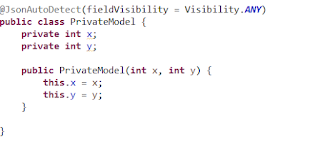


'JsonAutoDetect.Visibility' is an enumeration for possible visibility thresholds that can be used to limit which methods and fields are auto-detected. Below table summarizes the possible visibility levels.

Visibility constant

Description

ANY

all kinds of access modifiers from private to public are acceptable.

NON_PRIVATE

Value that means that any other access modifier other than 'private' is considered auto-detectable.

PROTECTED_AND_PUBLIC

Value that means access modifiers 'protected' and 'public' are auto-detectable (and 'private' and "package access" == no modifiers are not)

PUBLIC_ONLY

Value to indicate that only 'public' access modifier is considered auto-detectable.

NONE

Value that indicates that no access modifiers are auto-detectable. this can be used to explicitly disable auto-detection for specified types.

DEFAULT

Value that indicates that default visibility level (whatever it is, depends on context) is to be used. This usually means that inherited value (from parent visibility settings) is to be used.

Find the below working application.

PrivateModel.java

package com.sample.app.model;

import com.fasterxml.jackson.annotation.JsonAutoDetect;
import com.fasterxml.jackson.annotation.JsonAutoDetect.Visibility;

@JsonAutoDetect(fieldVisibility = Visibility.ANY)
public class PrivateModel {
	private int x;
	private int y;

	public PrivateModel(int x, int y) {
		this.x = x;
		this.y = y;
	}

}

CustomizeVisibility.java

package com.sample.app.jackson;

import com.fasterxml.jackson.core.JsonProcessingException;
import com.fasterxml.jackson.databind.ObjectMapper;
import com.sample.app.model.PrivateModel;

public class CustomizeVisibility {
	public static void main(String[] args) throws JsonProcessingException {
		
		PrivateModel obj = new PrivateModel(10, 12);
		String result = new ObjectMapper().writeValueAsString(obj);

		System.out.println(result);
	}
}

Output

{"x":10,"y":12}


Previous                                                    Next                                                    Home

Tuesday, 29 June 2021

Moshi: Customize serialization process using adapters

In this post, I am going to explain how to customize the serialization process using adapters.


Adapters provide greater flexibility in customization of serialization process.


Step 1: Define an adapter with @ToJson and @FromJson methods.

public class BoxAdapter {
    @ToJson
    int[] toJson(Box box) {
        return new int[] { box.getWidth(), box.getHeight() };
    }

    @FromJson
    Box fromJson(int[] dimensions) throws Exception {
        if (dimensions.length != 2) {
            throw new Exception("Expected 2 elements but was " + Arrays.toString(dimensions));
        }
        int width = dimensions[0];
        int height = dimensions[1];
        return new Box(width, height);
    }
}


Step 2: Get an instance of Moshi using the adapter defined in step 1.

Moshi moshi = new Moshi.Builder().add(new BoxAdapter()).build();


Step 3: Get JsonAdapter instance for Box class from the moshi object.

JsonAdapter<Box> boxJsonAdapter = moshi.adapter(Box.class);

Step 4: Serialize and deserialize the box data.

Box box = new Box(10, 15);
String json = boxJsonAdapter.toJson(box);
Box box1 = boxJsonAdapter.fromJson(json);


Find the below working application.


Box.java

package com.sample.app.model;

public class Box {
    private int width;
    private int height;

    public Box(int width, int height) {
        super();
        this.width = width;
        this.height = height;
    }

    public int getWidth() {
        return width;
    }

    public void setWidth(int width) {
        this.width = width;
    }

    public int getHeight() {
        return height;
    }

    public void setHeight(int height) {
        this.height = height;
    }


}


BoxAdapter.java

package com.sample.app.adapter;

import java.util.Arrays;

import com.sample.app.model.Box;
import com.squareup.moshi.FromJson;
import com.squareup.moshi.ToJson;

public class BoxAdapter {
    @ToJson
    int[] toJson(Box box) {
        return new int[] { box.getWidth(), box.getHeight() };
    }

    @FromJson
    Box fromJson(int[] dimensions) throws Exception {
        if (dimensions.length != 2) {
            throw new Exception("Expected 2 elements but was " + Arrays.toString(dimensions));
        }
        int width = dimensions[0];
        int height = dimensions[1];
        return new Box(width, height);
    }
}


AdapterDemo.java

package com.sample.app;

import java.io.IOException;

import com.sample.app.adapter.BoxAdapter;
import com.sample.app.model.Box;
import com.squareup.moshi.JsonAdapter;
import com.squareup.moshi.Moshi;

public class AdapterDemo {

    public static void main(String args[]) throws IOException {
        Moshi moshi = new Moshi.Builder().add(new BoxAdapter()).build();

        JsonAdapter<Box> boxJsonAdapter = moshi.adapter(Box.class);

        Box box = new Box(10, 15);

        String json = boxJsonAdapter.toJson(box);
        System.out.println("serialized data : " + json);

        Box box1 = boxJsonAdapter.fromJson(json);

        System.out.println("\nBox details post deserialization");
        System.out.println("Width : " + box1.getWidth());
        System.out.println("Height : " + box1.getHeight());

    }

}


Output

json : [10,15]

Box details
Width : 10
Height : 15


Previous                                                    Next                                                    Home

Moshi: Ignore a field from serialization

If you do not exclude a field from serialization, declare that field with ‘transient’ keyword.


Example

private transient List<String> hobbies;


Find the below working application.


Employee.java

package com.sample.app.model;

import java.util.List;

public class Employee {
	private Integer id;
	private String name;

	private transient List<String> hobbies;

	public Employee(Integer id, String name, List<String> hobbies) {
		this.id = id;
		this.name = name;
		this.hobbies = hobbies;
	}

	public Integer getId() {
		return id;
	}

	public void setId(Integer id) {
		this.id = id;
	}

	public String getName() {
		return name;
	}

	public void setName(String name) {
		this.name = name;
	}

	public List<String> getHobbies() {
		return hobbies;
	}

	public void setHobbies(List<String> hobbies) {
		this.hobbies = hobbies;
	}

}


ObjectToJsonString.java

package com.sample.app;

import java.util.Arrays;

import com.sample.app.model.Employee;
import com.squareup.moshi.JsonAdapter;
import com.squareup.moshi.Moshi;

public class ObjectToJsonString {
	public static void main(String args[]) {
		Employee emp1 = new Employee(1, "Dhatri Sure", Arrays.asList("Trekking", "singing"));

		Moshi moshi = new Moshi.Builder().build();
		JsonAdapter<Employee> jsonAdapter = moshi.adapter(Employee.class);

		String json = jsonAdapter.toJson(emp1);

		System.out.println(json);
	}
}

Output

{"id":1,"name":"Dhatri Sure"}


Previous                                                    Next                                                    Home

Moshi: Convert java object to json string

Step 1: Get a JsonAdapter instance.

Moshi moshi = new Moshi.Builder().build();
JsonAdapter<Employee> jsonAdapter = moshi.adapter(Employee.class);


Step 2: Convert the object to json.

String json = jsonAdapter.toJson(emp1);


Find the below working application.


Employee.java

package com.sample.app.model;

import java.util.List;

public class Employee {
	private Integer id;
	private String name;
	private List<String> hobbies;

	public Employee(Integer id, String name, List<String> hobbies) {
		this.id = id;
		this.name = name;
		this.hobbies = hobbies;
	}

	public Integer getId() {
		return id;
	}

	public void setId(Integer id) {
		this.id = id;
	}

	public String getName() {
		return name;
	}

	public void setName(String name) {
		this.name = name;
	}

	public List<String> getHobbies() {
		return hobbies;
	}

	public void setHobbies(List<String> hobbies) {
		this.hobbies = hobbies;
	}

}


ObjectToJsonString.java

package com.sample.app;

import java.util.Arrays;

import com.sample.app.model.Employee;
import com.squareup.moshi.JsonAdapter;
import com.squareup.moshi.Moshi;

public class ObjectToJsonString {
	public static void main(String args[]) {
		Employee emp1 = new Employee(1, "Dhatri Sure", Arrays.asList("Trekking", "singing"));

		Moshi moshi = new Moshi.Builder().build();
		JsonAdapter<Employee> jsonAdapter = moshi.adapter(Employee.class);

		String json = jsonAdapter.toJson(emp1);

		System.out.println(json);
	}
}

Output

{"hobbies":["Trekking","singing"],"id":1,"name":"Dhatri Sure"}


Previous                                                    Next                                                    Home

Monday, 29 March 2021

Javax.json: Convert object to json string

Step 1: Construct JsonObjectBuilder from an object properties.

JsonObjectBuilder objectBuilder = Json.createObjectBuilder()
.add("firstName", emp.getFirstName())
.add("lastName", emp.getLastName())
.add("id", emp.getId())
.add("birthdate", new SimpleDateFormat("DD/MM/YYYY").format(emp.getDateOfBirth()));


Step 2: Get JsonObject instance from JsonObjectBuilder.

JsonObject jsonObject = objectBuilder.build();


Step 3: Call toString() method on JsonObject.


Find the below working application.


Employee.java


package com.sample.app.model;

import java.util.Date;

public class Employee {

	private int id;
	private String firstName;
	private String lastName;
	private Date dateOfBirth;

	public Employee(int id, String firstName, String lastName, Date dateOfBirth) {
		this.id = id;
		this.firstName = firstName;
		this.lastName = lastName;
		this.dateOfBirth = dateOfBirth;
	}

	public int getId() {
		return id;
	}

	public void setId(int id) {
		this.id = id;
	}

	public String getFirstName() {
		return firstName;
	}

	public void setFirstName(String firstName) {
		this.firstName = firstName;
	}

	public String getLastName() {
		return lastName;
	}

	public void setLastName(String lastName) {
		this.lastName = lastName;
	}

	public Date getDateOfBirth() {
		return dateOfBirth;
	}

	public void setDateOfBirth(Date dateOfBirth) {
		this.dateOfBirth = dateOfBirth;
	}

}


ObjectToJsonDemo.java

package com.sample.app;

import java.text.SimpleDateFormat;
import java.time.LocalDate;
import java.time.ZoneId;
import java.util.Date;

import javax.json.Json;
import javax.json.JsonObject;
import javax.json.JsonObjectBuilder;

import com.sample.app.model.Employee;

public class ObjectToJsonDemo {
	private static String getJson(Employee emp) {
		if (emp == null) {
			return "";
		}

		JsonObjectBuilder objectBuilder = Json.createObjectBuilder()
				.add("firstName", emp.getFirstName())
				.add("lastName", emp.getLastName())
				.add("id", emp.getId())
				.add("birthdate", new SimpleDateFormat("DD/MM/YYYY").format(emp.getDateOfBirth()));

		JsonObject jsonObject = objectBuilder.build();

		return jsonObject.toString();
	}

	public static void main(String args[]) {
		LocalDate dateOfBirth = LocalDate.of(1985, 1, 10);
		Date date = Date.from(dateOfBirth.atStartOfDay(ZoneId.systemDefault()).toInstant());

		Employee emp1 = new Employee(32, "Ram", "Gurram", date);

		System.out.println(getJson(emp1));
	}

}

Output

{"firstName":"Ram","lastName":"Gurram","id":32,"birthdate":"10/01/1985"}


Previous                                                    Next                                                    Home